
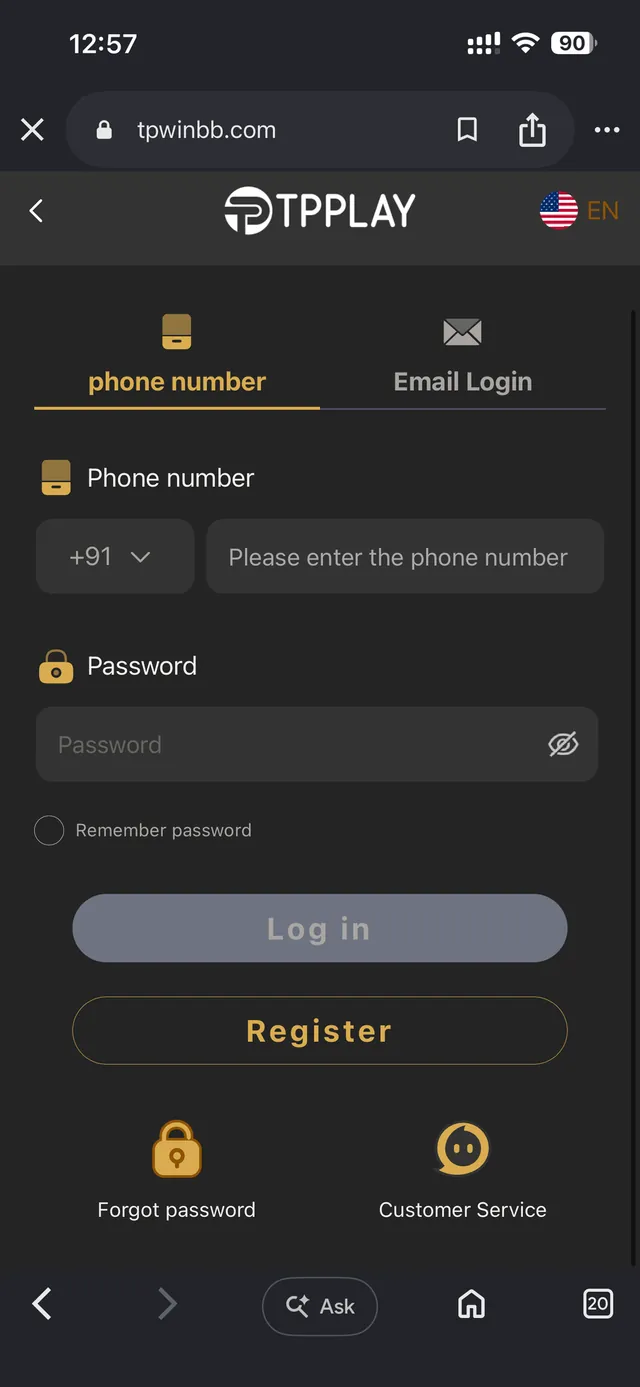
Signing In To TP Play
Signing in to TP Play puts your wallet, your play history and any pending bonuses back in reach immediately. The sign-in screen takes either the mobile number or the email you used when you first joined, together with your password — there's no separate credential set for the app compared to the browser, so you never have to guess which one you used last. No matter which device you open TP Play from, you land on the same account, the same balance and the same full game catalogue. For regular players, this screen is typically a quick five-second stop before jumping into a Win Go round, spinning some slots, or glancing at the wallet ahead of a withdrawal.
Signing In, One Step At A Time
Pull up the TP Play sign-in screen on whichever device you're using, pick mobile number or email as your method, fill in your details and hit Sign In. With a saved password, the whole thing is over in seconds. Anyone who hasn't set up an account yet should head to the Register page first — this screen only works for accounts that already exist. Once you're through, the dashboard drops you straight into the lobby, wallet balance front and centre, so you know exactly where you stand before placing a single bet.
Mobile Number Sign-In Compared With Email
TP Play offers two routes into the same account. Mobile number sign-in is what most players default to, since that same number doubles as the quickest way to confirm your identity if a password reset is ever needed. Email sign-in suits players who'd rather not link an account to a phone number, or who originally joined using an email address. Both options sit on the same screen and you can flip between them freely — neither is quicker or safer than the other, so pick whichever you have handy.
Lost Your Password?
Can't recall your password? The sign-in screen includes a Reset Password link that steps you through resetting it via your registered mobile number. You'll confirm that number first, then set a fresh password on the spot — no waiting around and no need to contact anyone unless the number on file has also changed. Since recovery hinges entirely on that mobile number, it pays to keep it current so a funded wallet never becomes inaccessible.
A Single Account That Follows You Everywhere
Plenty of gaming platforms silently keep app play history separate from website play history. That's not how TP Play operates. Sign in from a borrowed phone, your own laptop, or the installed Android app, and the wallet balance, transaction record and active bonuses on screen are always identical. Kick off a Win Go session on the app during your commute, then pick it back up on a browser afterward without missing a beat.
How Secure Is Signing In To TP Play?
Every sign-in is anchored to a verified mobile number or email address, and all account traffic travels over encrypted connections start to finish. TP Play will never request your password through Telegram, email or any channel other than the official sign-in screen — treat any message asking for your login details directly as fake. For details on how your account data is handled, check the Privacy Policy, and if you want to set boundaries on your own play, the Responsible Gaming page outlines the tools on offer. Turning on Remember Password from a personal device saves time, but skip it on shared or public machines so your wallet stays fully yours to control.
Common Sign-In Hiccups And Quick Fixes
Most sign-in trouble traces back to one of three causes: a typo in the mobile number or email, a stale password saved in the browser, or a brief connectivity blip on your device. If Sign In seems stuck, check the country code on the mobile number field first — that's the single most common reason a genuinely correct password still gets bounced. Signing in through the Android app instead of a browser? Confirm you're running the newest installed build, since an older version can occasionally have trouble reaching the sign-in servers. Wiping the browser's saved autofill for that field and typing the password fresh clears up most of the rest. If nothing above helps, the Reset Password flow will get you back in without any need to contact support at all.
Once You're Signed In
After signing in, the dashboard gathers everything in one view — wallet balance up top, the complete game lobby underneath, and fast access to deposits, withdrawals and whatever promotions are live. From there, drop into a Win Go round, browse the slots catalogue, check the Promotion page for anything currently on offer, or visit Gift Code to redeem a code you've picked up. Sessions stay active across tabs and devices, so there's rarely any reason to sign in more than once per device unless you've deliberately signed out or wiped your browser data.
Still Stuck Signing In?
Already tried the Reset Password flow, triple-checked your mobile number and password, and still can't get through? The quickest fix is our Telegram support channel, where an actual person can dig into your specific account instead of running a canned script. The Contact page also lists an email address for anything that calls for a slower, written trail — handy when the issue involves a particular transaction or deposit that didn't post correctly. Have your registered mobile number ready when you reach out, since it's the fastest way for the support team to locate your account and confirm it's really you. Most sign-in issues clear up within minutes once an agent is looking directly at the account, rather than working from a generic checklist.
Don't have an account yet? Create a TP Play account.